
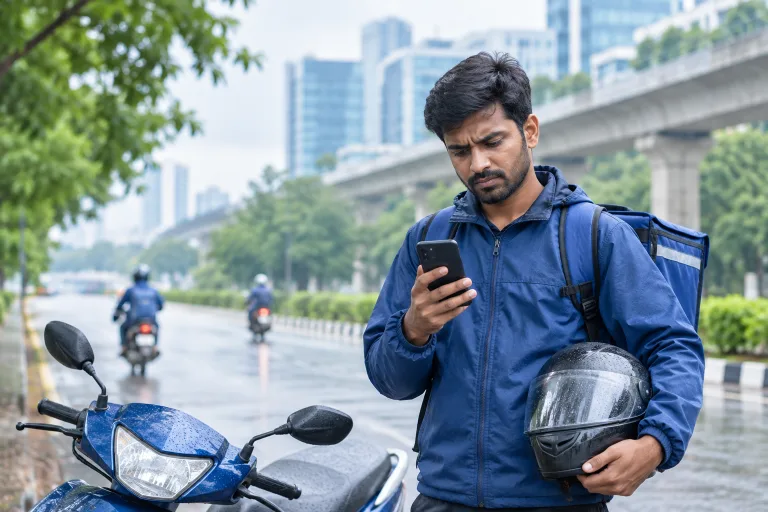
A phone for delivery work has to run the company's app, the map and customer calls together for a whole shift, on a SIM with calls and data. Beyond that, the minimum depends on the company. Several company lists in our records start with an Android phone, and a few add a minimum version of Android and of RAM: the phone section of our documents guide lists them side by side, and each company page repeats its own. The Amazon page, for example, carries the full Amazon Flex phone list. Check the company you plan to join first, because a phone that meets one company's minimum may not meet another's.
This post is about the phone itself. For the free apps and portals worth setting up on it, see the phone tools a Bangalore rider needs.
What to check before you buy
| Check | Why it matters on a shift | Where to look |
|---|---|---|
| Android version and memory | Some companies set a minimum | Documents guide, company pages |
| Battery health | GPS and calls drain it all day | Your hands-on check; a power bank as backup |
| Storage space | App updates need room | Phone settings |
| IMEI status (second-hand phone) | A blocked phone won't work on any network | Sanchar Saathi, below |
| SIM in your own name | OTPs and your bank are tied to it | Sanchar Saathi, below |
What wears a delivery phone down
In a first-person account of two months of gig work in Nagpur, the writer recorded what one rider spent to keep his phone working (The India Forum, July 2025):
- Data: a plan of Rs 400 a month for 2GB a day, with top-ups on long days bringing his mobile spend to about Rs 600 a month. GPS and constant app use, he said, eat data faster than you'd expect.
- Lag: when the old phone started lagging and losing him orders, he bought a Rs 14,000 replacement on EMI, which took Rs 1,200 a month from his income.
- Battery: constant GPS tracking and customer calls flattened it twice a day, so he carried a Rs 1,500 power bank.
That's one rider in another city, not an average. It still shows where the money goes: data, a phone fast enough not to freeze mid-order, and a battery backup. Count these in before you pay for a phone on EMI. If a loan app offers you the money in a few minutes, read our post on loan app harassment first.
Buying second-hand: check the IMEI first
A cheap used phone can turn out to be one that its owner reported lost or stolen. A handset blocked through the government's CEIR system is shut out of every mobile network (CEIR user manual, as of October 2026). Check before you pay:
- Ask the seller for the phone's IMEI and match it with the box or bill.
- Send an SMS with KYM, a space and the IMEI to 14422, or use Know Genuineness of Your Mobile Handset on Sanchar Saathi (CEIR user manual, as of October 2026).
- Read the reply. A valid phone comes back with its details. A reply saying the device is invalid or blocked means walk away.
- Get the bill if there is one. The blocking form treats it as optional, but it helps if you ever lose the phone yourself (same manual).
Keep the SIM in your own name
The SIM receives the OTPs for your UPI and your bank, so work on a SIM taken on your own ID, not a friend's. Sanchar Saathi's Know Mobile Connections In Your Name shows the connections taken on your ID (Sanchar Saathi, as of October 2026); our post on OTP fraud explains how to report one that isn't yours.
Before day one
- Clear storage, update the phone, and keep the company app updated once you join.
- Carry a charging cable and a power bank on long shifts.
- Save the IMEI and the bill somewhere other than the phone itself; you'll want both if it ever goes missing: lost phone steps.
- Plan how you'll mount it: phone mounts on bikes.
Phone sorted? Next comes the form: Apply for a delivery job.
